Wednesday, 11 December 2013

SEQUENCE NODE

Sequence used to assign sequence number and sequncegroup id to message which is travelled from source to destination nodes.

    When we are going for sequence nodes 4 things we need to set
        1.sequence number path. Mandatory
        2.sequence group identifier. Optional(but useful with large messages)
        3.start of sequence. Mandatory
        4.end of sequence. Mandatory

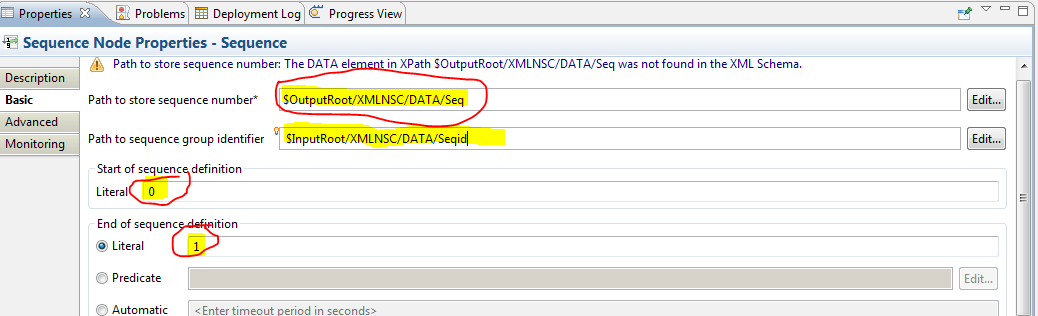
(observe below properties figure).

STEP1:MESSAGE FLOW WITH MANDATORY PROPERTIES OF SEQUENCE NODE
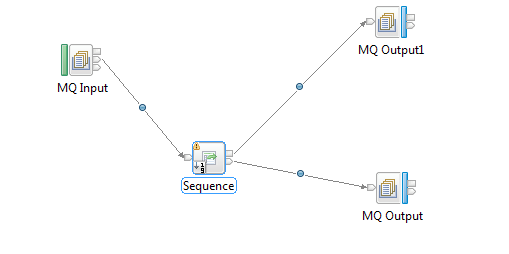

FIGURE2:SEQUENCE NODE PROPERTIES
ERRORS:
Erro1:we nedd to specify following Red color rounded properties otherwise error will come.
If we doesn't specify the
    sequence number path,
    start sequence,
    end sequence.
Then error will come it wont deploy consider next figure for example
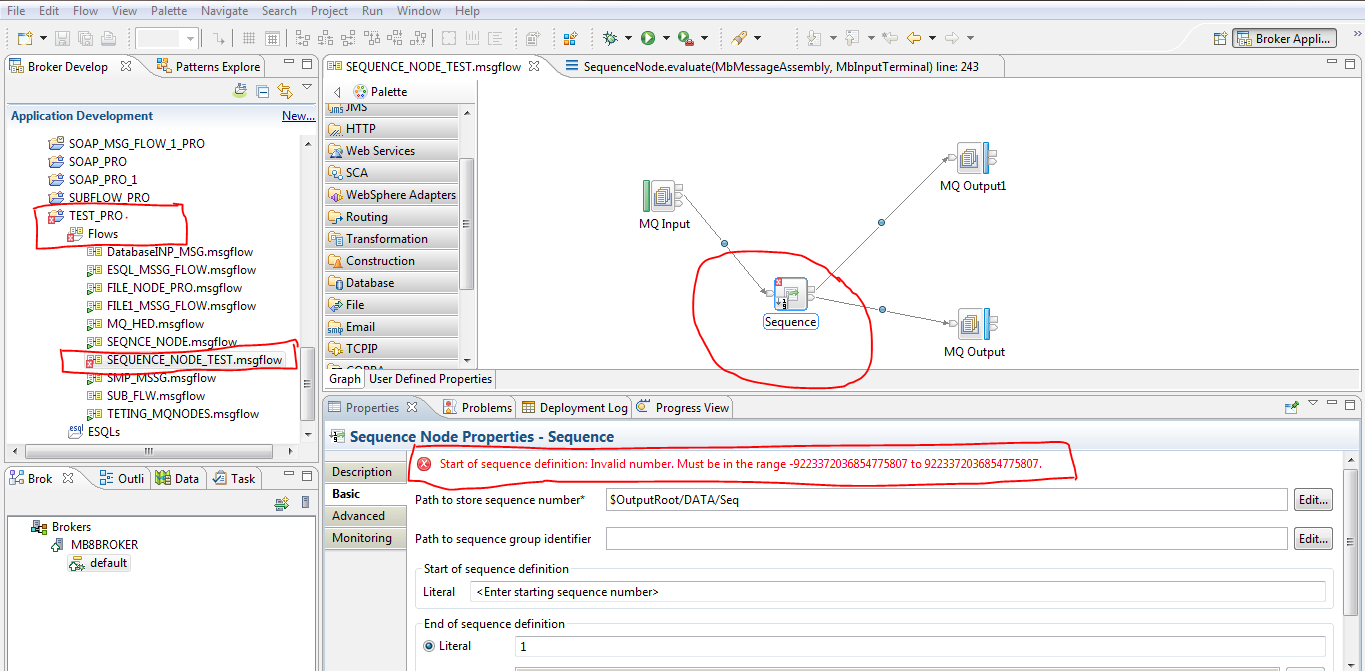
see red color blocks in the above figure cross option (i.e error ) came,so it is impossible to deploy in to the broker. Observe clearly their i didn't mention start sequence,end sequence.

Erro2: when we doesn't mention the incoming parser type in the sequence number path then error won't come but output will not come.see the below figure.(OBSERVE FIGURE 2 sequence number path )
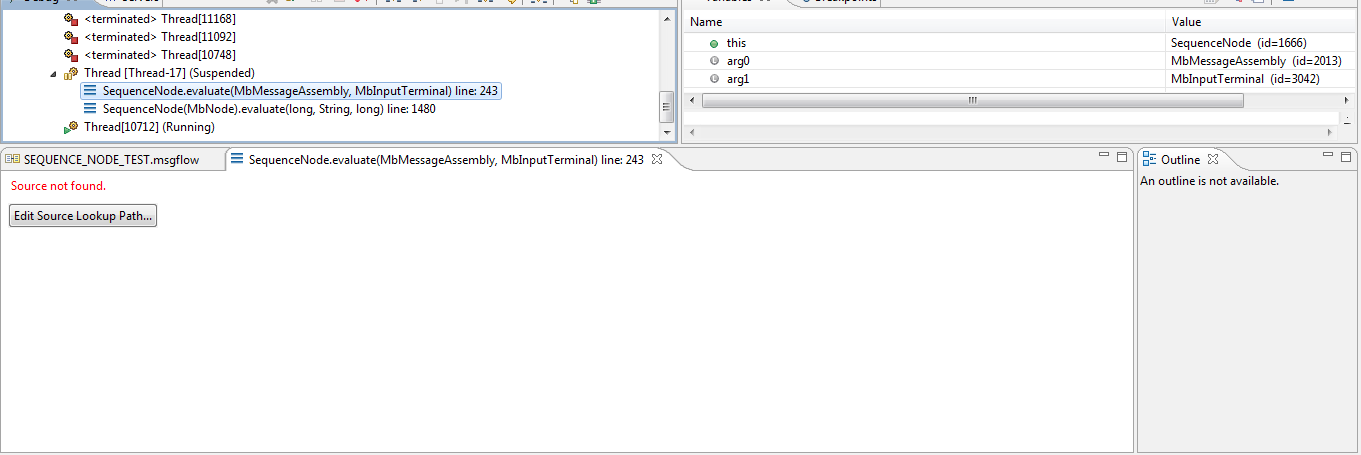
Even if we add broker project to debug it will come again and again.

IMPORTANT NOTE: If we any internal error came message reverse back to sequence node failure terminal if node is connected otherwise it reverse back to mq input node failure terminal if node is connected otherwise it will be in mq input node.

OUTPUT: first observe FIGURE 2 where we given the sequence id also then observe the output
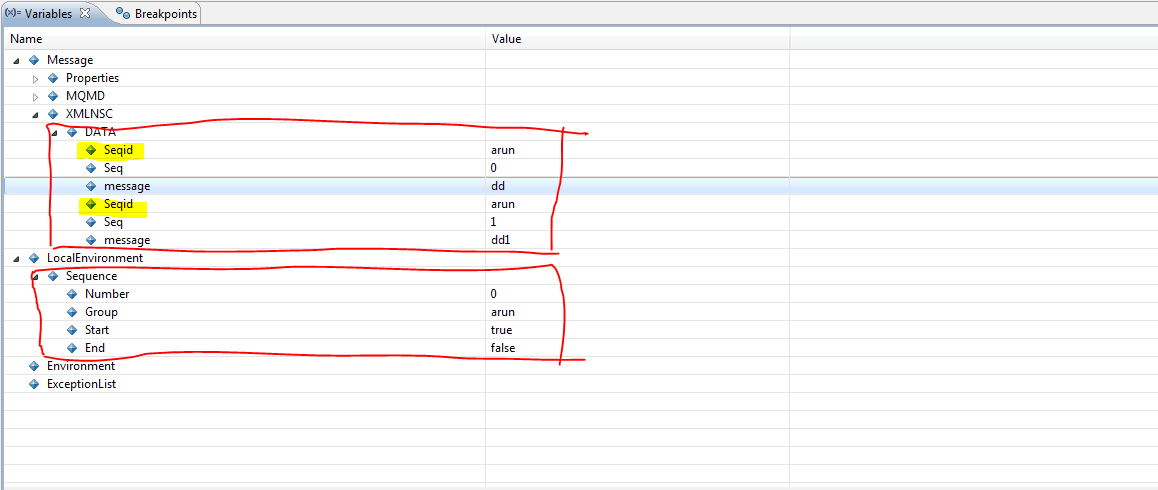
INPUT:
<DATA><Seqid>arun</Seqid><Seq>0</Seq><message>dd</message><Seqid>arun</Seqid><Seq>1</Seq><message>dd1</message></DATA>
Monday, 25 November 2013

Acessing Database using compute node with soap web services by takeing 'AGE as input giveing FNAME of that person as output

STEP1:CREATE NEW MESSAGE BROKER PROJECT.


STEP2:CREATE NEW MESSAGE FLOW.


STEP3:CREATE NEW MESSAGE DEFNITION .

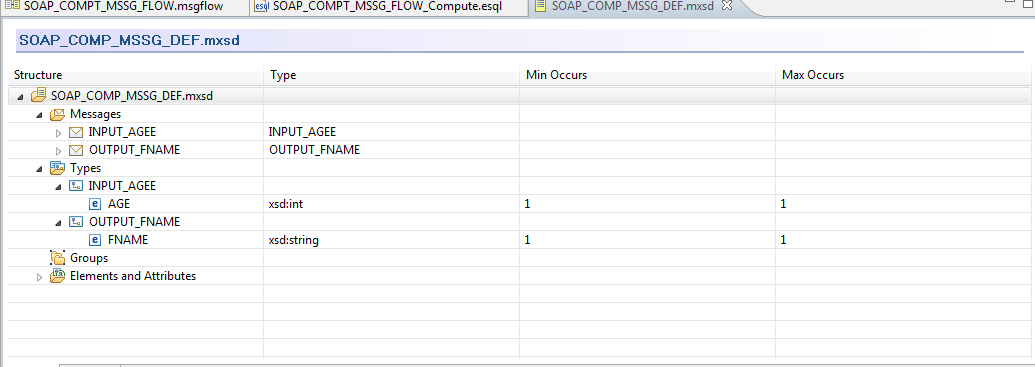
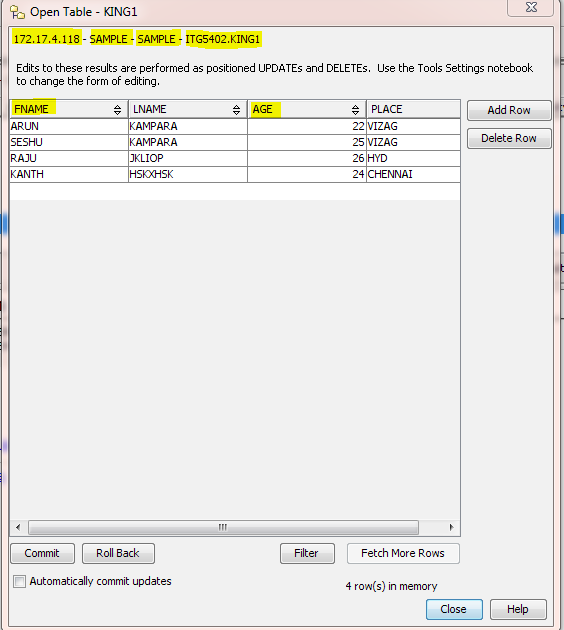
Creation of message set definition need database information according to current scenario.here age and fname are columns of database.observe below figure carefully

Here AGE and FNAME are columns of table .accroding to scnerio AGE act as input and FNAME act as output based on this u created message defination.


NOTE:

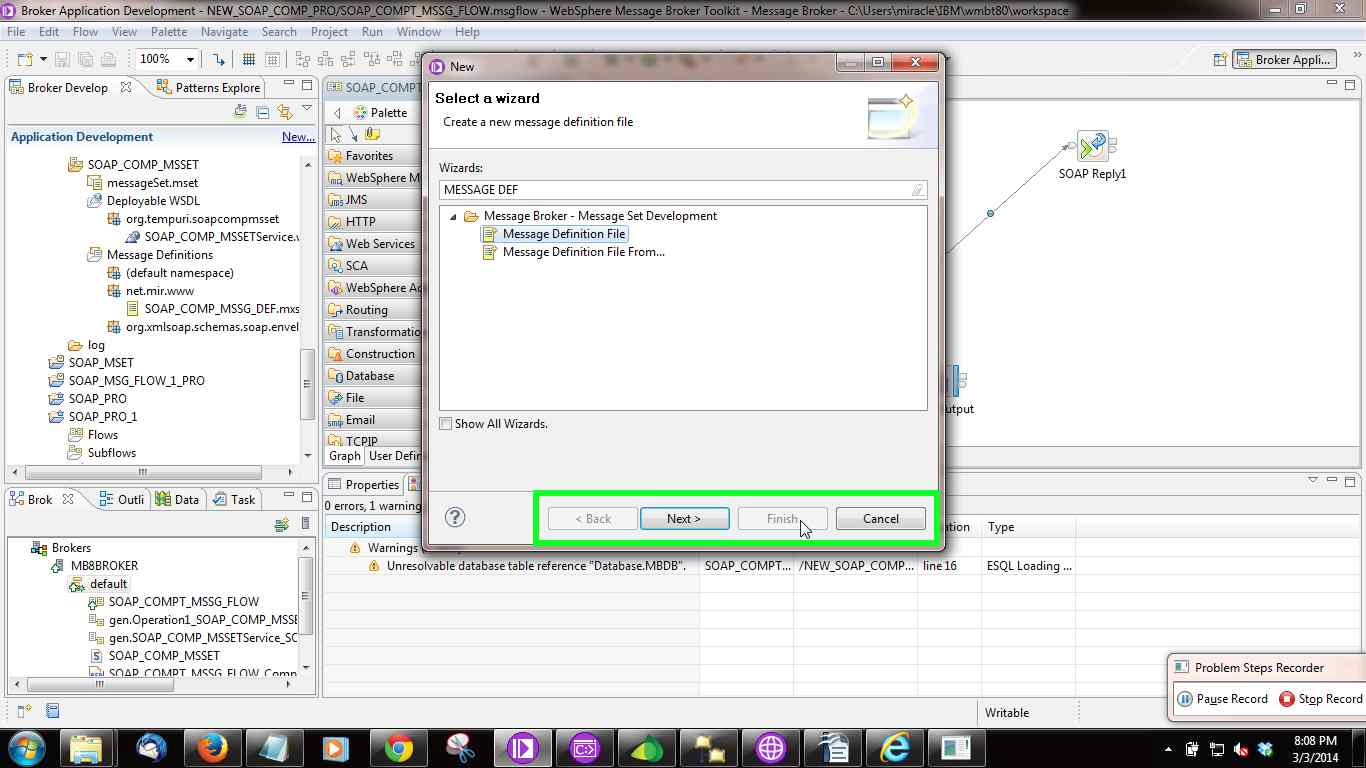
1.BEFORE THIS YOU NEED TO CREATE DATA SOURCE AND YOU NEED TO CONFIGURE DATASOURCE WITH THE BROKER .

2.WHEN YOU ARE CREATING WSDL FILE--
'SELECT THE SOAP WEB SERVICE' in drop down.
'TICK THE XMLNSC PARSER'
because soap return object so its difficult to take input data even though input came it works only when we are copying Input as it is to Output.(SO TICK THE XMLNSC PARSER)


MESSAGE FLOW:

COMPUTE NODE FIGURE:


COMPUTE NODE CODE:

DECLARE ns NAMESPACE 'http://www.mir.net';


CREATE COMPUTE MODULE SOAP_COMPT_MSSG_FLOW_Compute
    CREATE FUNCTION Main() RETURNS BOOLEAN
    BEGIN
        -- CALL CopyMessageHeaders();
        -- CALL CopyEntireMessage();
       
        --DECLARE A INTEGER;
       
       
        --SET A=CAST(InputRoot.XMLNSC.ns:INPUT_AGEE.AGE AS INTEGER);
       
        --DECLARE B REFERENCE TO InputRoot.XMLNSC.ns:INPUT_AGEE;
SET OutputRoot.XMLNSC.ns:OUTPUT_FNAME.FNAME[]= PASSTHRU('SELECT FNAME FROM KING1 WHERE AGE = ?' TO Database.MBDB VALUES(CAST(InputRoot.XMLNSC.ns:INPUT_AGEE.AGE AS INTEGER)));

(OR)

SET A=CAST(InputRoot.XMLNSC.ns:INPUT_AGEE.AGE AS INTEGER);

SET OutputRoot.XMLNSC.ns:OUTPUT_FNAME.FNAME[]= PASSTHRU('SELECT FNAME FROM KING1 WHERE AGE = ?' TO Database.MBDB VALUES(A);

       
    --SET OutputRoot.XMLNSC.ns:OUTPUT_FNAME.FNAME= PASSTHRU('SELECT FNAME FROM KING1 WHERE AGE = 25');
       
        RETURN TRUE;
    END;

    CREATE PROCEDURE CopyMessageHeaders() BEGIN
        DECLARE I INTEGER 1;
        DECLARE J INTEGER;
        SET J = CARDINALITY(InputRoot.*[]);
        WHILE I < J DO
            SET OutputRoot.*[I] = InputRoot.*[I];
            SET I = I + 1;
        END WHILE;
    END;

    CREATE PROCEDURE CopyEntireMessage() BEGIN
        SET OutputRoot = InputRoot;
    END;
END MODULE;